Enterprise SaaS · AI
Enhancing Enterprise CPQ with Digital Workforce
Designing the AI bridge between CPQ workflows and intelligent agents — integrating a digital workforce into an enterprise quoting platform.
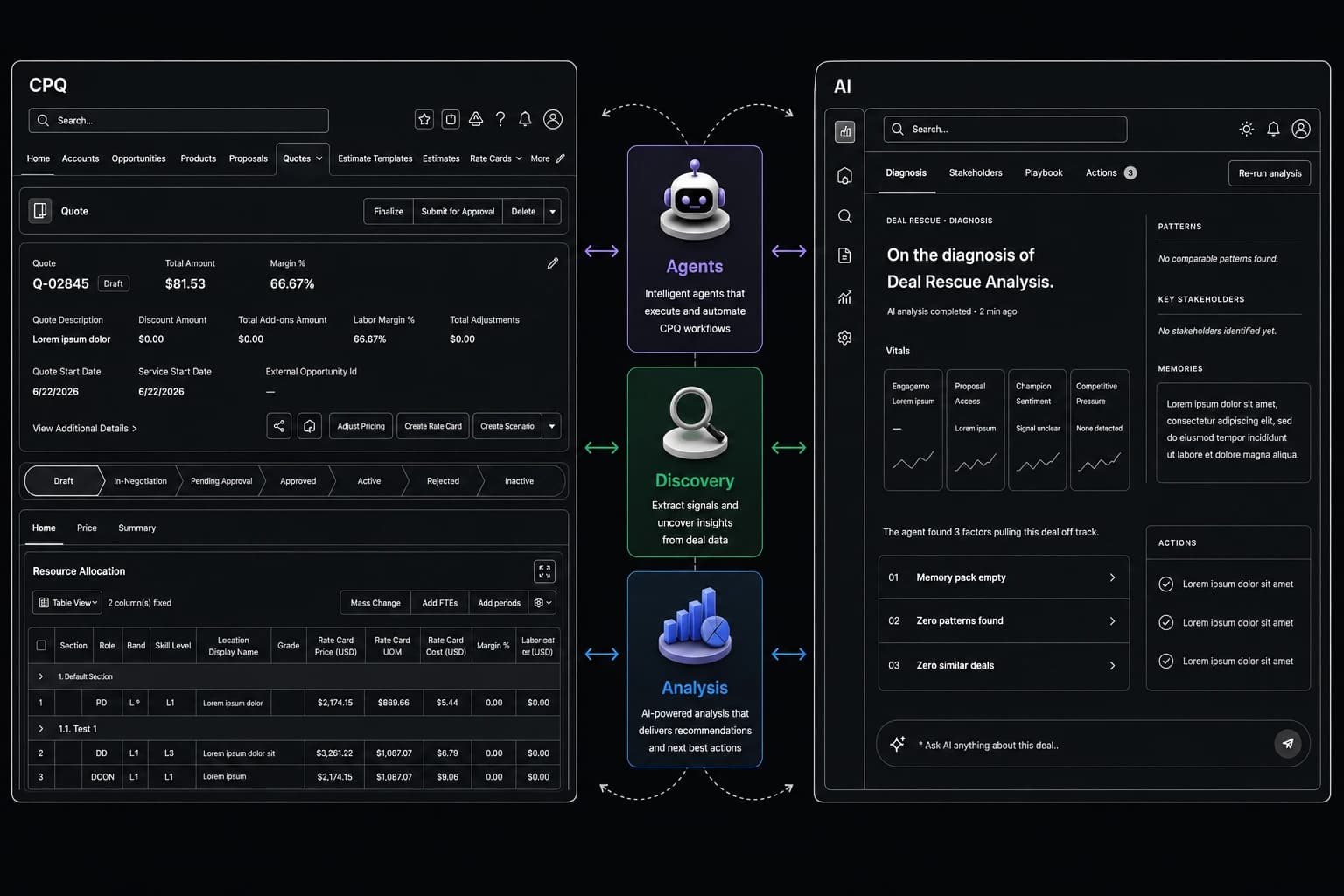
Overview
Context & Vision
Provus is a CPQ (Configure, Price, Quote) platform under the Salesforce umbrella — a USA-based startup with around $10M in revenue, serving clients like Virtusa, Tait, and Chronicle Heritage across industries worldwide.
I joined Provus in December 2024, working alongside a talented global team. As the platform evolved, one idea kept surfacing among the team: users were already trusting AI to handle more of their work — why not give them a digital workforce?
After extensive discussions across Design, Engineering, Product, and CX teams — covering use cases, business scope, and requirements — the decision was made. Provus would build a separate platform, Provus AI, where users could create AI agents, set up workflows, view analytics, take meeting notes, track KPIs, and manage action items.
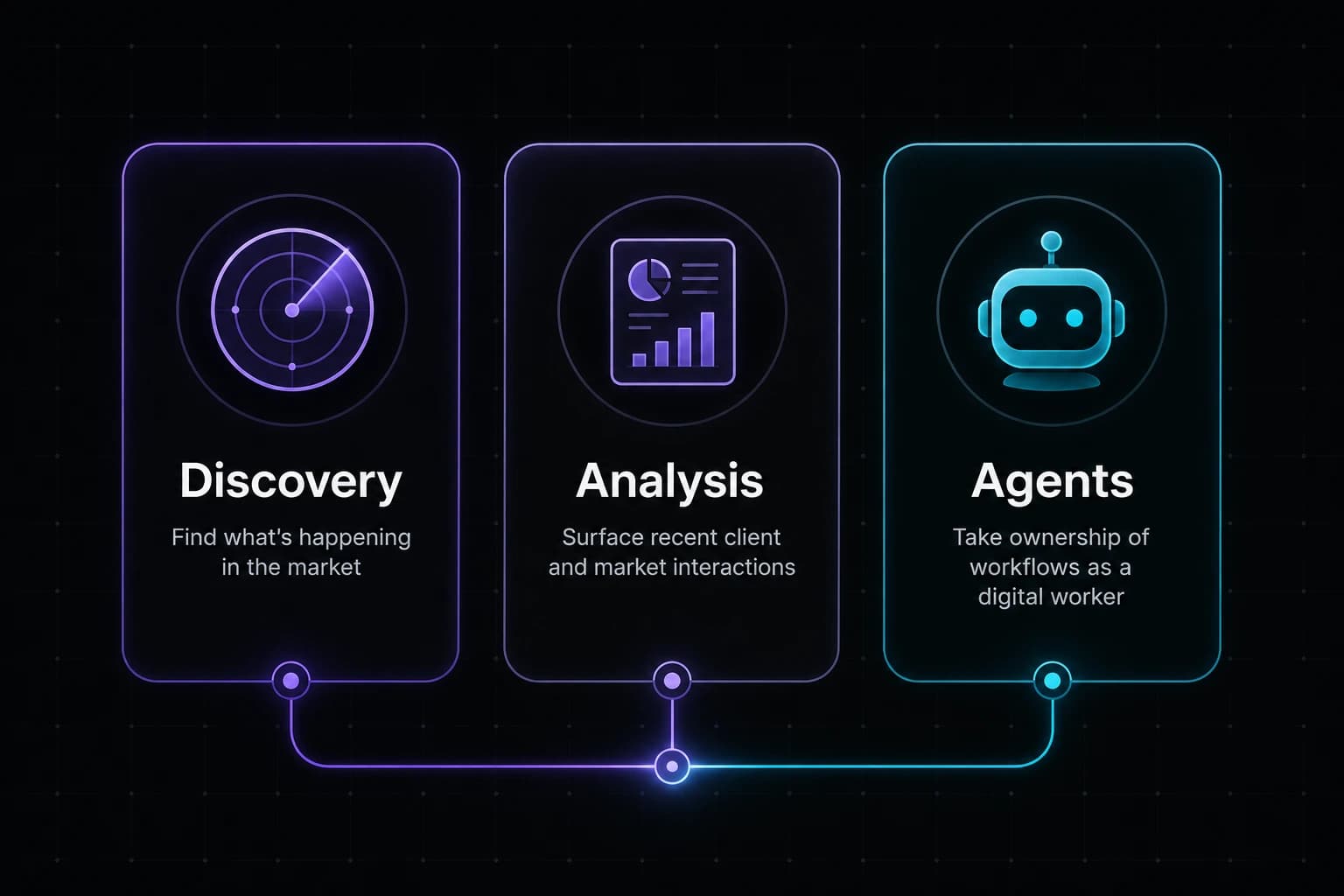
Provus AI was structured around three pillars:
- ◆Discovery — Surface what's happening in the market
- ◆Analysis — Report on recent client and market interactions
- ◆Agents — Take ownership of individual or end-to-end flows, acting as a digital worker
My role was to design the bridge between these two platforms — integrating AI capabilities directly into the CPQ workflow, not just as a standalone tool, but as a way to solve problems within the quoting flow itself.
The Challenge
Integration Complexity
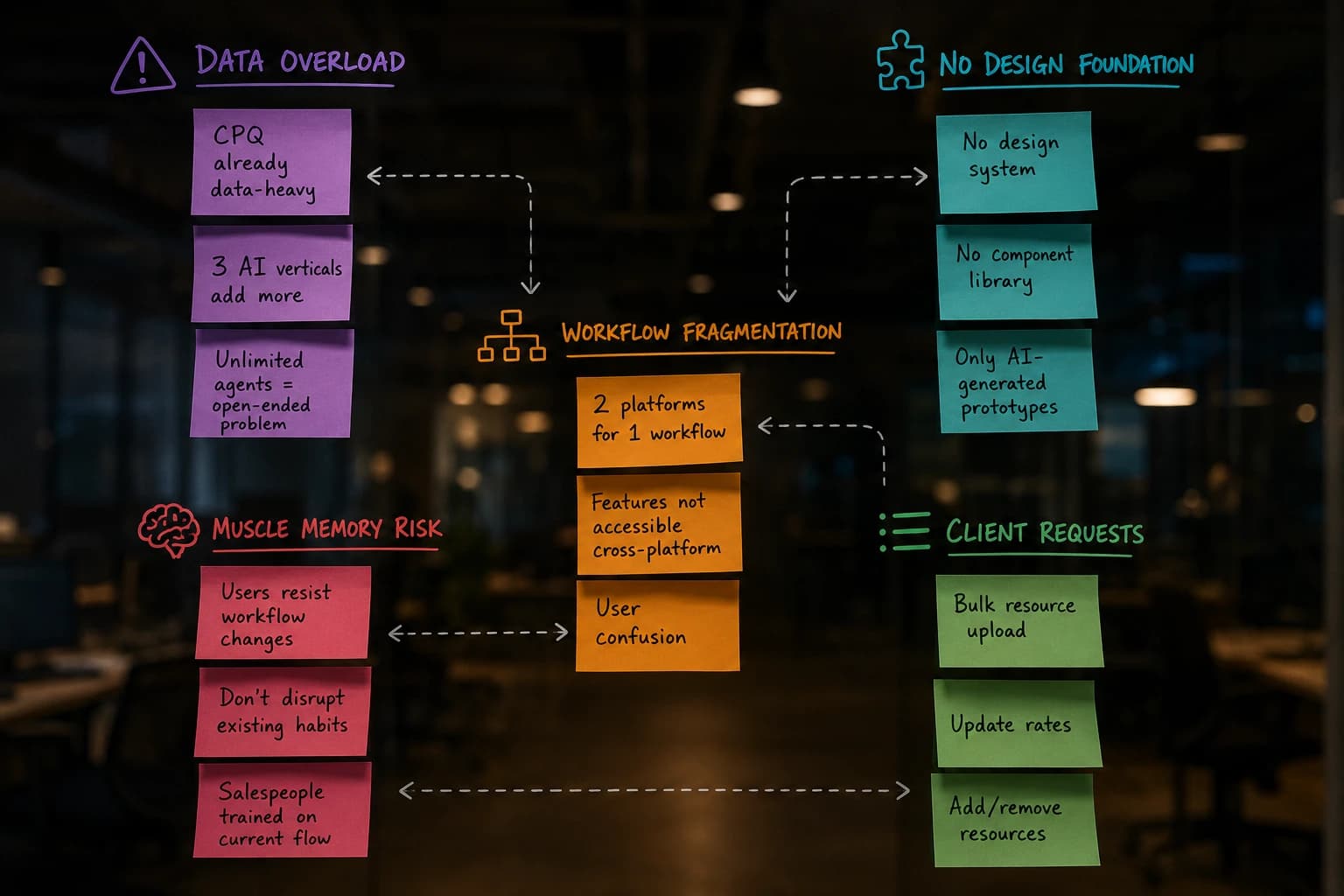
The CPQ platform already handled a dense layer of data — resource allocation, pricing, add-ons, templates, summaries, and more. Overlaying AI data from three verticals (Discovery, Analysis, Agents) on top of that risked creating information overload. And the framework placed no limit on the number of agents a user could create, making the design problem open-ended.
Provus AI had been prototyped by the CTO using AI-generated visuals. There were no established design principles, no component system, no design tokens — just prototype screens. Bridging two platforms with no shared design language was the first structural problem.
The second was workflow fragmentation. Running a single quoting workflow across two separate platforms created confusion. Some Provus AI features weren't relevant to CPQ users at all, and several features couldn't be accessed from within CPQ.
Then there was the muscle memory problem. Some customers were resistant to changes in their sales workflow. Whatever we integrated had to sit alongside the existing experience without disrupting it.
On top of the AI integration, clients also requested in-house features for bulk operations — uploading resources, updating rates, and adding or removing resources in batch.
Research & Validation
Understanding User Appetite for AI
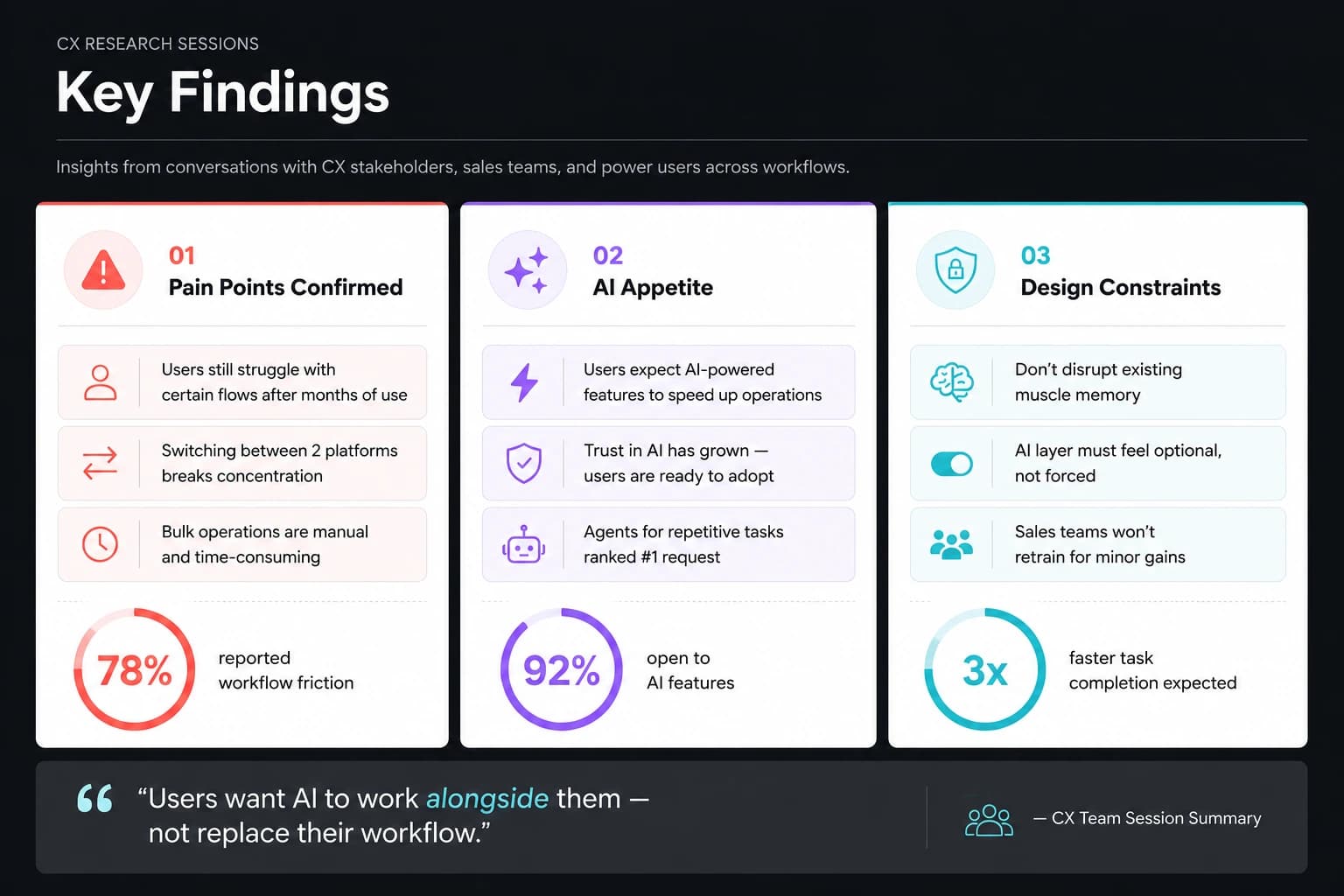
Before designing anything, I needed to understand whether users actually wanted AI in their quoting workflow. The CX team ran sessions with real users to gauge current pain points and test appetite for AI features.
The findings were clear: users were still struggling with certain flows even after extended use, they expected AI-powered features to speed up operations, and the broader shift toward AI had made them more willing to trust it.
Separating AI from the Existing Flow
Layout Exploration
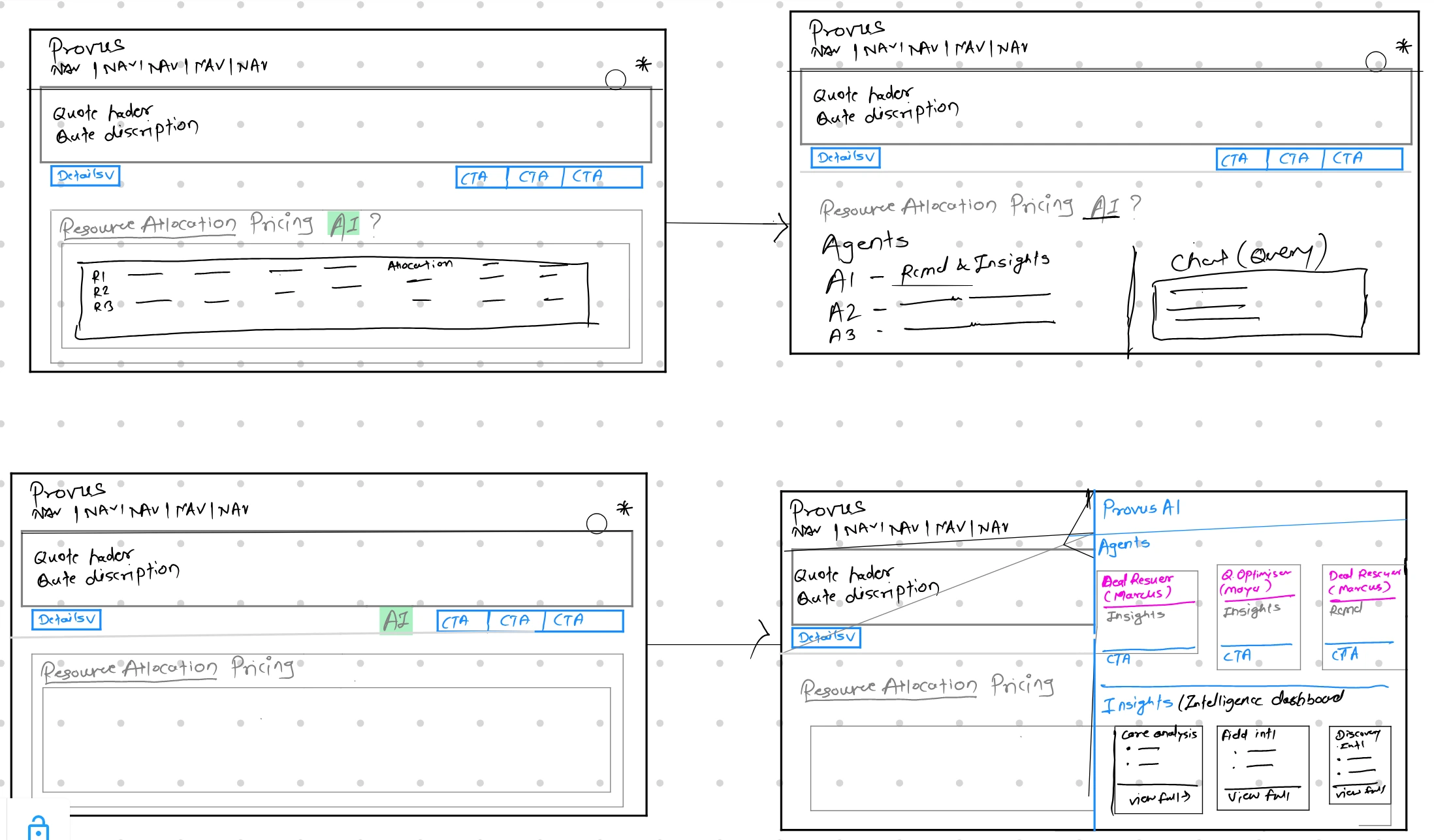
The AI layer needed its own space — visible and actionable, but never interfering with current workflows. After discussions with PMs and Engineering, we confirmed that real-time data sync between CPQ and Provus AI was feasible via APIs.
I explored layout options — a separate tab versus a drawer — and designed a dedicated information architecture for the AI layer that supported scalability while keeping users in sync with Provus AI. The second layer of AI would not touch any current workflow.
Agent Routing System
Default Agent & Specialised Routing
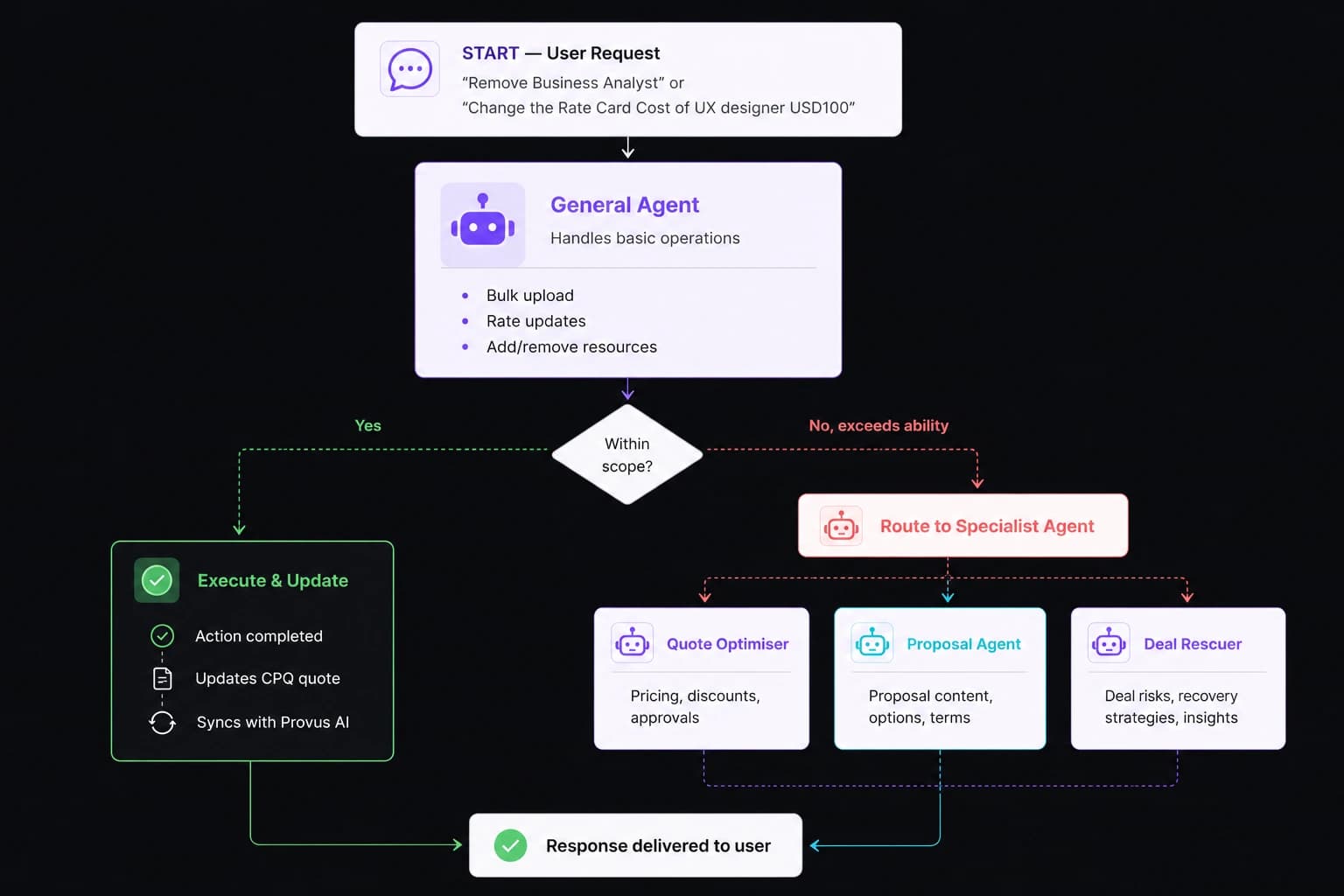
Users needed a single entry point to interact with AI — for both general tasks (bulk uploads, rate changes) and specialised agent workflows. We designed a default agent that handled basic operations out of the box. When a request exceeded its scope, it automatically routed to the relevant specialised agent.
Designing the AI Bridge
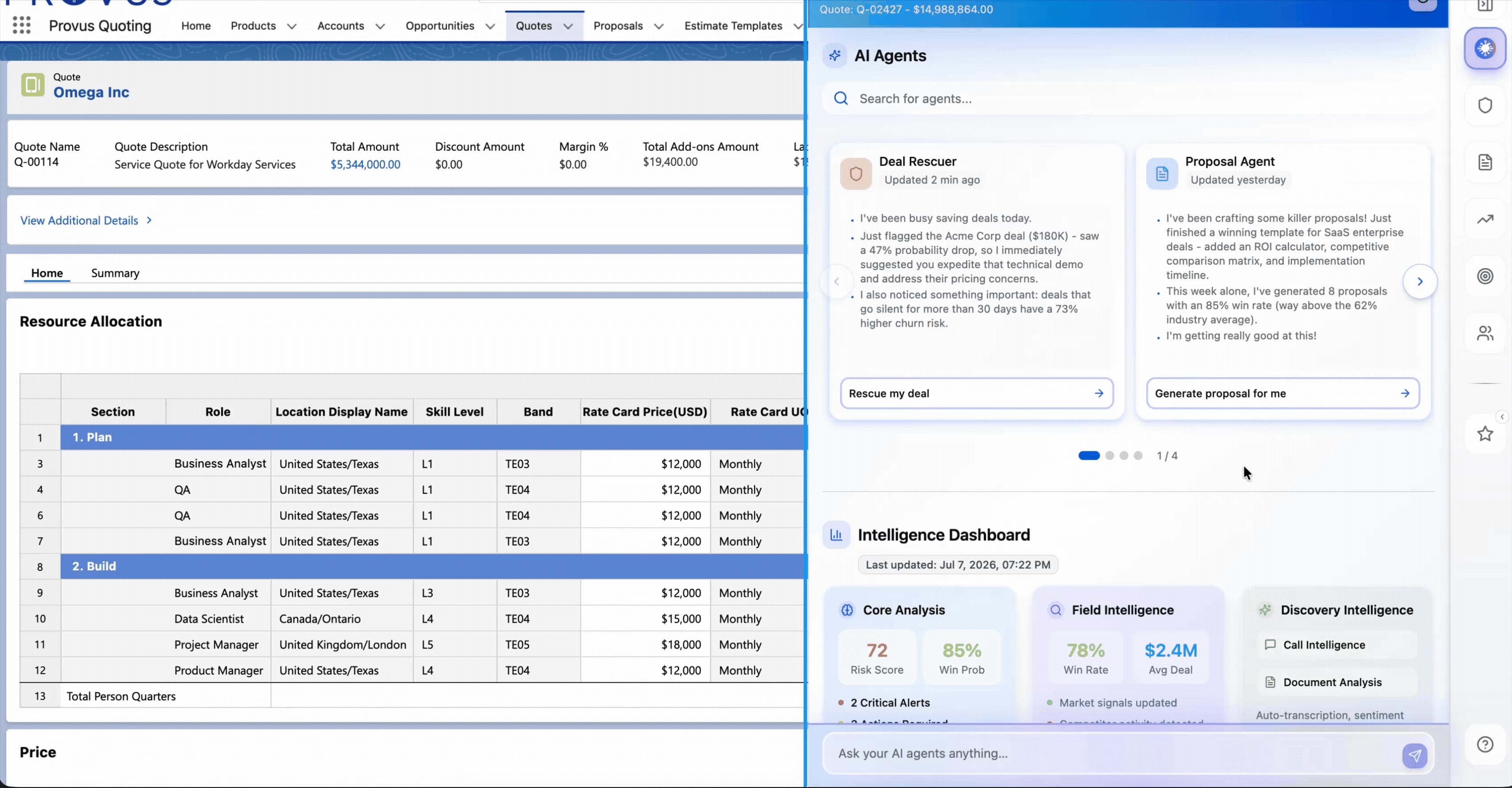
Dashboard · Navigation · Chat · Agent Page
The AI bridge comprised four key surfaces designed to give users full control over their digital workforce without leaving the CPQ environment.
Outcome
Testing & Handoff
The CX team ran customer testing sessions to validate whether the integration met requirements, whether customers were adopting the features, and whether the AI layer was helping in their day-to-day flow. After incorporating feedback and making minor refinements, we handed the designs off to Engineering.
This feature is currently in development — parts of the build are complete and in QA. Metrics will be published once the rollout is live.